2026 Term 1 - Newsletter one
Dear Parents,
This newsletter is designed to give you a deeper insight into some of the key learning areas your child will be exploring this term. While these are not all of the subjects we cover, they are some of the most prominent topics we will focus on in class.
We also want to highlight ways you can support your child’s learning at home. Many of the online programs we use, such as Mathspace, Literacy Pro, Timestables.com, and Typingclub, are accessible to students from home. Encouraging regular practice and discussing what they are learning can greatly enhance their confidence and progress.
If you have any questions about these topics or how you can further support your child’s learning, please feel free to reach out.
Mrs. Newman, Mrs. Hall, & Mr. Schönherr
Helping Your Child Access Their TMC Account from Home
Logging into school accounts from home can sometimes be tricky. If your child encounters a login issue, they may need to use their Student ID code first. This can be found on their Student Card (beneath the barcode) or on their bag tag.
When prompted for an Employee ID, enter the last five digits of the Student ID code.
For step-by-step instructions, visit https://www.tmc.qld.edu.au/resources/for-students/it-howtos and look for the 'Access from Home' page.
 ENGLISH
English writing
Our class will be exploring narrative writing by studying the New York best seller The Wild Robot by Peter Brown. By analysing the adventures of the main character Roz, the students will learn the about the choices authors can make to develop the characters in their own stories.
How Will Students Build Their Narrative Writing Skills?
- Understanding Narrative Purpose & Genres – Exploring why we write stories and the different types of narratives.
- Examining Story Structure – Breaking down how great stories are built, from beginning to end.
- Exploring Language Features – Identifying techniques that bring stories to life.
- Creating Vivid Settings & Characters – Using descriptive language to build immersive worlds and believable characters.
- Developing a Strong Plot – Planning a narrative with a setting, characters, and a problem to solve.
- Crafting Attention-Grabbing Openings – Learning how to hook readers right from the start.
- Collaborative & Independent Writing – Writing narratives in pairs before applying skills to independent stories.
- Editing & Proofreading – Learning how to refine writing for clarity, structure, engagement, and of course punctuation.
By following these steps, students will build confidence as creative writers, using the skills of a world-famous author as inspiration.
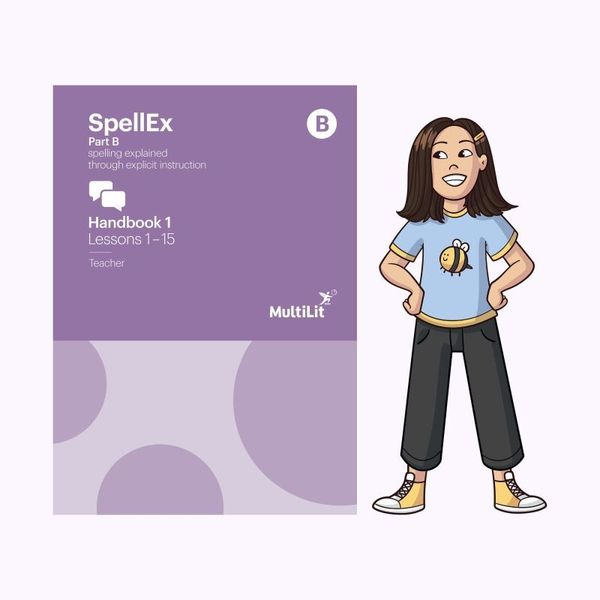
This year, our class is using Spellex, a research based spelling program that helps students develop strong phonics, spelling and reading skills.
Spellex teaches students how sounds and letters work together, along with spelling patterns, rules and word parts. This helps students spell more accurately and read more fluently.
At home, parents can help by playing simple word games and encouraging children to break words into sounds when spelling.
Spellex is a valuable tool for supporting literacy development.
MATHS
Maths times tables
To support our students' Maths learning, we use Timestables.com, a free online platform that helps students practise and master their times tables in an engaging way.
What is Timestables.com?
Timestables.com provides interactive games, quizzes, and practice exercises to help students build fluency with multiplication facts. It is designed to make learning fun and effective.
How Does It Help Students?
- Engaging and Interactive – Students can practise in a game-based format that keeps them motivated.
- Step-by-Step Learning – The site introduces times tables progressively, reinforcing skills through repetition.
- Builds Confidence – Mastering times tables helps with faster mental Maths and overall problem-solving skills.
How Can Parents Support at Home?
- Encourage regular practice (just 5-10 minutes a day can make a big difference).
- Use the speed tests and quizzes to track progress.
- Play times tables games together for extra engagement.
Maths understanding and skills
Our class will be using Mathspace, an interactive online Maths platform designed to support student learning and build confidence in mathematical concepts.
What is Mathspace?
Mathspace is a digital learning tool that provides step-by-step guidance and personalised feedback as students work through Maths problems. Unlike traditional worksheets, Mathspace allows students to enter their working-out process, receiving hints and corrections along the way. This helps them understand not just the final answer, but the reasoning behind it.
How Does Mathspace Help Students?
- Personalised Learning – Mathspace adapts to each student's level, providing targeted questions and explanations based on their progress.
- Instant Feedback – Students receive immediate guidance, helping them correct mistakes in real-time and develop a deeper understanding of concepts.
- Engaging and Interactive – The platform includes videos, worked examples, and quizzes that make learning more engaging.
- Curriculum-Aligned – Mathspace is aligned with the Australian Curriculum, ensuring that all activities directly support what we are covering in class.
How Can You Use Mathspace at Home?
- Check Progress – Parents can log in to see what topics their child is working on and track their achievements.
- Encourage Independence – Because Mathspace provides hints and explanations, students can build confidence in problem-solving without needing direct answers from adults.
- Use the Videos – If a student is struggling with a concept, the built-in videos offer clear explanations that reinforce classroom learning.
- Celebrate Success – Recognising your child's progress, even small improvements, can boost their motivation and enjoyment of Maths.
- Term 1 focus - Chapters 1, 2 and 3.
Mathspace is a fantastic resource for building numeracy skills and supporting students at their own pace. If you have any questions about how to use it at home, feel free to reach out.
In Term 1 we will focus on Number.
Science
This term in Science, we are exploring the fascinating world of light through hands-on experiments and investigations. Students will learn how light travels, how shadows form, and how light can be reflected and refracted.
What Will Students Be Learning?
- How Light Behaves – Understanding that light travels in a straight line and interacts with different materials in interesting ways.
- Shadows, Reflection & Refraction – Investigating how shadows form, how light bounces off surfaces, and how it bends through water and glass.
- Scientific Thinking & Experimentation – Posing questions, making predictions, and testing ideas through fair and repeatable investigations.
- Real-World Connections – Looking at how scientists use data to explain how light works and how discoveries in light technology impact our daily lives.
Through these activities, students will develop essential Science inquiry skills, think critically, and work collaboratively to explore the wonders of light.
HASS
This term in HASS, we are diving into democracy and leadership in Australia. To make learning fun and engaging, students will experience democracy firsthand by running their own class election to choose a Student Representative. Through this process, they will explore how elections work, why voting matters, and the responsibilities of elected leaders.
What Will Students Be Learning?
- Understanding Democracy – Exploring the values that shape Australia's democratic system.
- Elections & Voting – Learning how elections are run, analysing ballot papers, and using the preferential voting system.
- Leadership & Representation – Investigating the roles of elected officials and what makes a good leader.
- Community Engagement – Researching local organisations that bring people together to make a difference.
- Speech Writing & Debates – Crafting persuasive speeches and discussing what makes a strong representative.
By experiencing democracy in action and learning about leadership and community participation, students will develop important civic skills that help them become informed and engaged citizens.
Technology – Design and Make
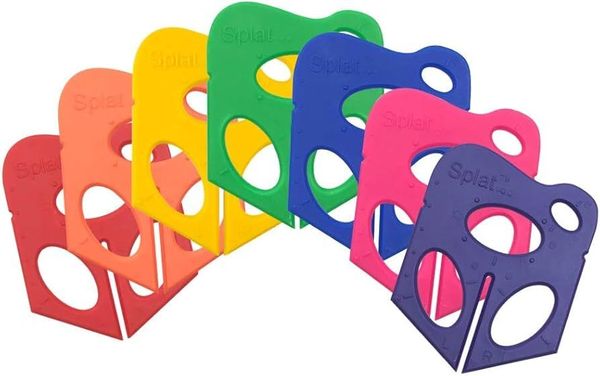
This term in Technology, our classroom has turned into a mini design studio. Students are using Splat3D and good old cardboard to design and build their own robot. This project links closely with our English novel The Wild Robot, as students imagine what their robot might look like, what its purpose is and how it would survive in its environment.
Students begin by sketching their robot ideas in 3D, then bring them to life through hands on building, testing and problem solving. There has been plenty of tinkering, tweaking and redesigning along the way, as students discover that mistakes are an important part of learning. It has been wonderful to see their creativity, teamwork and resilience grow as they think and work like real designers and engineers.
Sharing Class Photos
Dear parents and carers,
This year, we will be sharing class photos with families through a shared photo folder located on the school drive. This folder is for class families only and is designed to give you a window into the learning and activities happening in our classroom.
To ensure we respect each family’s preferences, please complete this Photo Permission Form to indicate whether you are happy for your child to be included in this shared Year 5 Photo Folder. This permission applies only to the class photo folder and is separate from any permissions already provided to the school for newsletters, the website or marketing purposes.
Only students with permission granted through this form will appear in the shared folder. Access to the folder will be limited to our class families, and it will be used solely for sharing classroom moments in a safe and respectful way.